Podio is one popular cloud based project management system under Citrix. It is a web based platform that can be used in team collaboration, online forms, report generator, contact list and project management to name a few.
You can integrate your web application to it using its open Podio API so you can automatically send your data from your website like visitor count, sales, form submission, etc.
Since the introduction of WordPress version 4.4, it is now possible to to create a RESTful backend without using a 3rd party plugin, that gives our favorite blogging platform to be more of a Web Application framework.
These are my notes in create a basic WP Podio App Plugin:
- Make sure Curl and OpenSSL is enabled, you can use this PHP code:
This file contains hidden or bidirectional Unicode text that may be interpreted or compiled differently than what appears below. To review, open the file in an editor that reveals hidden Unicode characters.
Learn more about bidirectional Unicode characters
<?php echo 'Curl: ', function_exists('curl_version') ? 'Enabled' : 'Disabled'; echo 'OpenSSL: ', extension_loaded('openssl') ? 'Enabled' : 'Disabled'; ?> - Generate your Podio APP keys from here: https://developers.podio.com/api-key then take note your Client ID and Client Secret. You will need them later
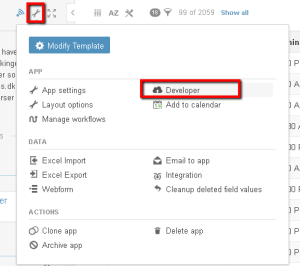
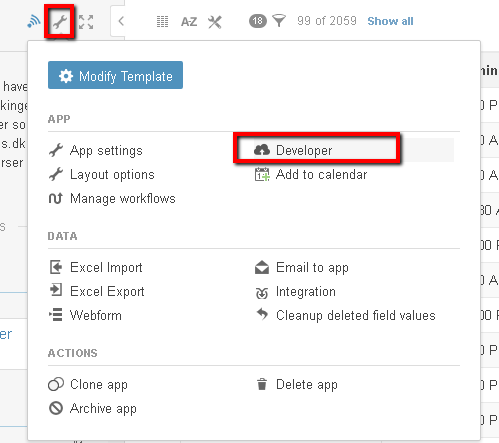
- In your Podio App, go to your developer settings which you can find here:
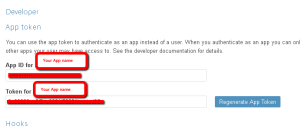
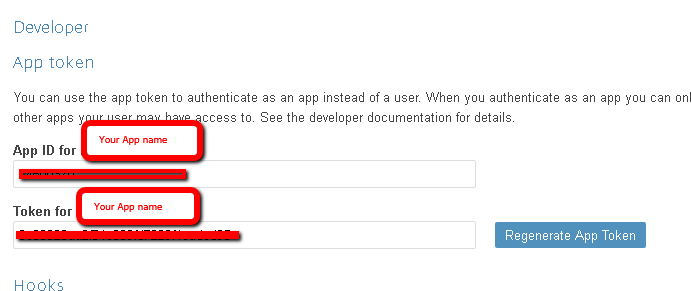
- Take note of your App ID and Token from the developer settings:
- Create your basic plugin by including the Podio PHP library: https://github.com/podio/podio-php
- Use the CLIENTID, CLIENT SECRET, APPID and TOKEN that you got from the previous steps then add this to you plugin code :
This file contains hidden or bidirectional Unicode text that may be interpreted or compiled differently than what appears below. To review, open the file in an editor that reveals hidden Unicode characters.
Learn more about bidirectional Unicode characters
<?php /* * Plugin Name: Podio API * Version: 1.0 * Plugin URI: http://www.carlalberto.ml/ * Description: This will connect your WP site to Podio * Author: Carl Alberto * Author URI: http://www.carlalberto.ml/ * Requires at least: 4.0 * Tested up to: 4.5.2 * * Text Domain: podio-api * Domain Path: /lang/ * * @package WordPress * @author Carl Alberto * @since 1.0.0 */ require_once( 'includes/podio/PodioAPI.php' ); podiorestapi(); function podiorestapi() { define("CLIENTID","putyour clientID here"); define("CLIENTSECRET","putyour CLIENTSECRET here"); define("APPID","putyour APPID here"); define("APPTOKEN","putyour APPTOKEN here"); Podio::setup(CLIENTID, CLIENTSECRET); Podio::authenticate_with_app(APPID, APPTOKEN); add_action( 'rest_api_init', function () { register_rest_route( 'podio-api/v1', '/connect', array( 'methods' => 'POST', 'callback' => 'podio_connect' ) ); } ); } function podio_connect($data) { switch ($_POST['type']) { case 'hook.verify': PodioHook::validate($_POST['hook_id'], array('code' => $_POST['code'])); case 'item.update': //reserved for update procedures case 'item.create': //reserved for create procedures case 'item.delete': //reserved for delete procedures } } ?> - Verify your connection by going back to the Podio Developer setting, in our code, we have generated the rest endpoint under this url http://example.com/wp-json/v1/connect so you have to add a hook on that endpoint from here:

- If you see that your hook became active, it means your REST api creation is successful


 Carl Alberto